Project Flow
Side project - Designing a shared decision-making
workspace for cross-functional teams
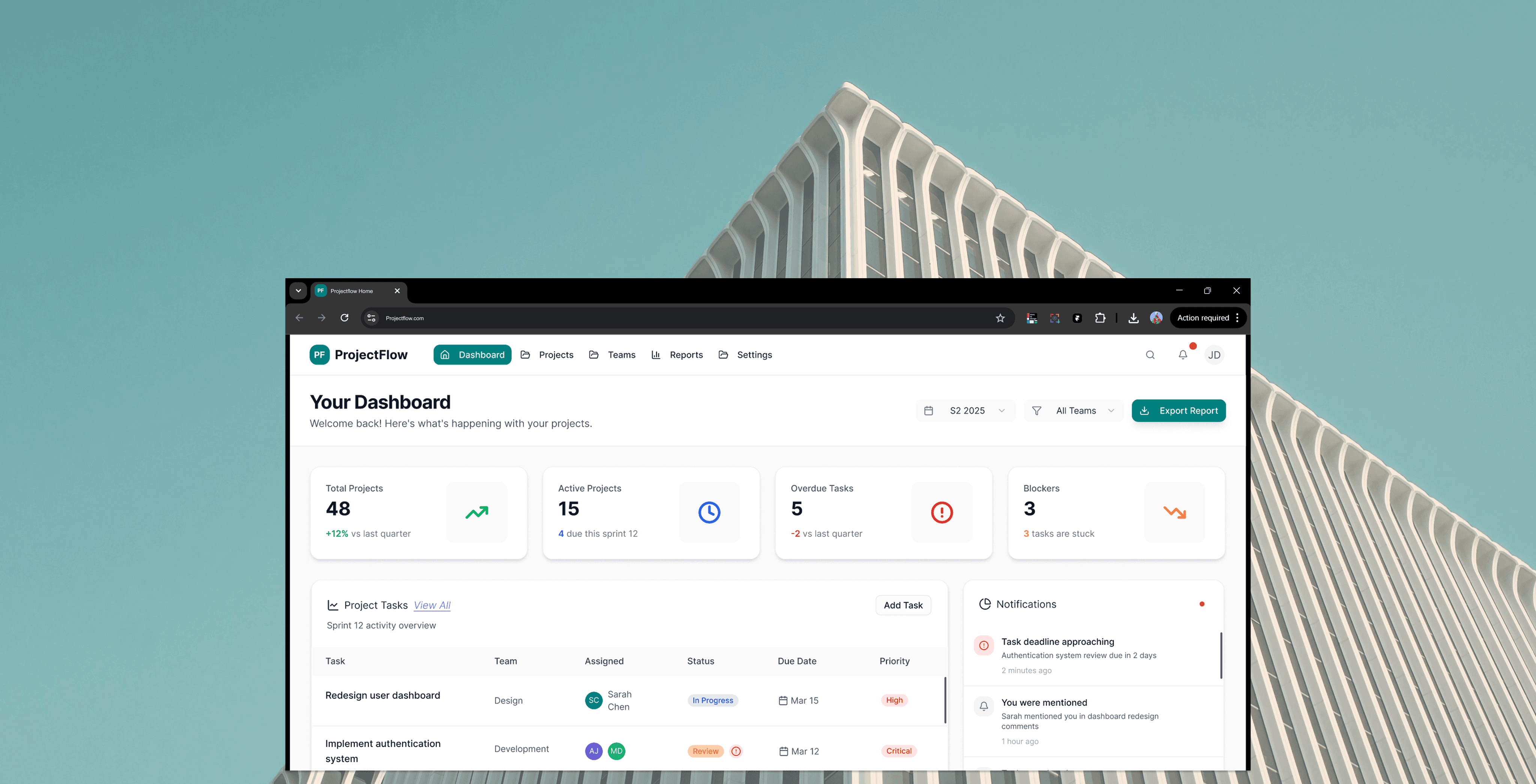
Project Flow is a project management dashboard designed to help multidisciplinary teams stay aligned, prioritise work, and make decisions using a shared source of truth.
The project focused on reducing fragmentation between tasks, people, and progress by designing a system that balances overview visibility with actionable detail.
Problem
Many project management tools overwhelm users with excessive features, dense interfaces, and unclear priorities.
Teams struggle to understand:
What needs attention right now
Difficulty understanding progress and blockers
Where projects are at risk
Increased cognitive load during planning and review
This leads to missed deadlines, duplicated work, and reduced team confidence.
Outcome
Design a clear, structured dashboard that supports fast decision-making:
Reduce cognitive load for daily task management
One source of truth for progress and status
Clear visual prioritization of work and blockers
Support for both quick scanning and deeper analysis
Interfaces that encourage alignment rather than micromanagement
Role
UX/UI designer (end-to-end)
Timeline
3 weeks
Tools
Figma, Stitch, Lovable.dev, Chat GPT
Research Results
& Findings
I conducted qualitative research through:
Informal interviews with professionals using tools like Jira,
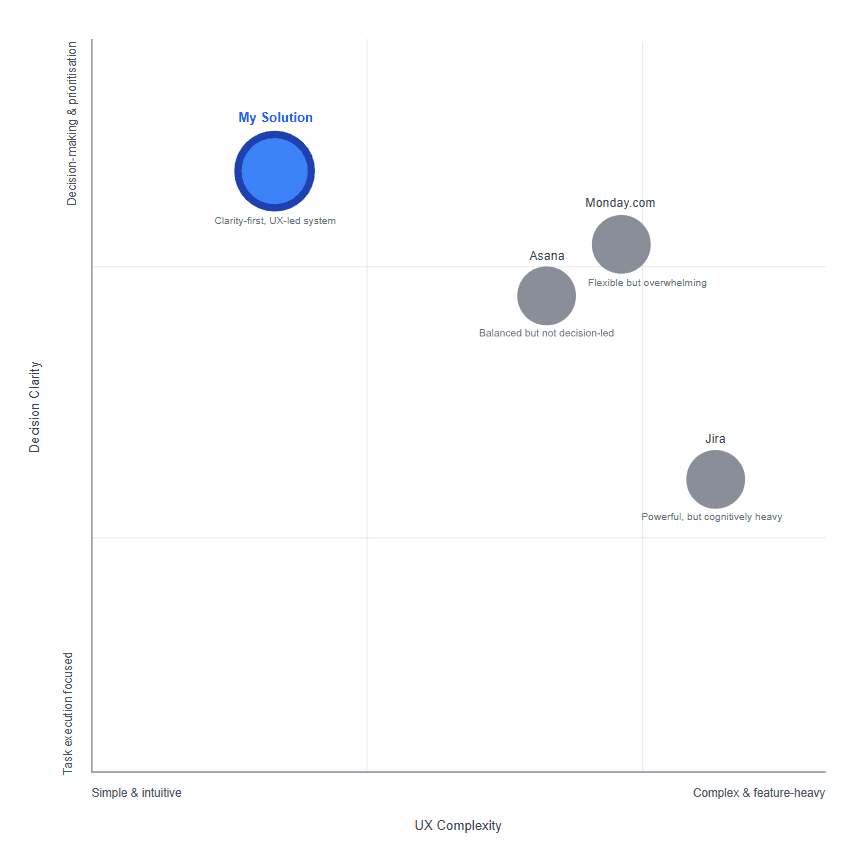
Asana, and Monday.Competitive analysis of existing project management
platforms.
I learned that a successful dashboard should answer three
questions instantly:
What do I need to do? What’s blocking me? and
What needs attention now?
These key insights shaped the core product production:
100% Users don’t want more data — they want clear priorities.
Blockers are often hidden or surfaced too late.
Status updates are time-consuming and repetitive.
Visual hierarchy matters more than feature volume.
Structure the dashboard around decision-driven UX, not feature-driven UX.
Progressive disclosure (show what matters first).
Status clarity over aesthetics.
Users
& Context
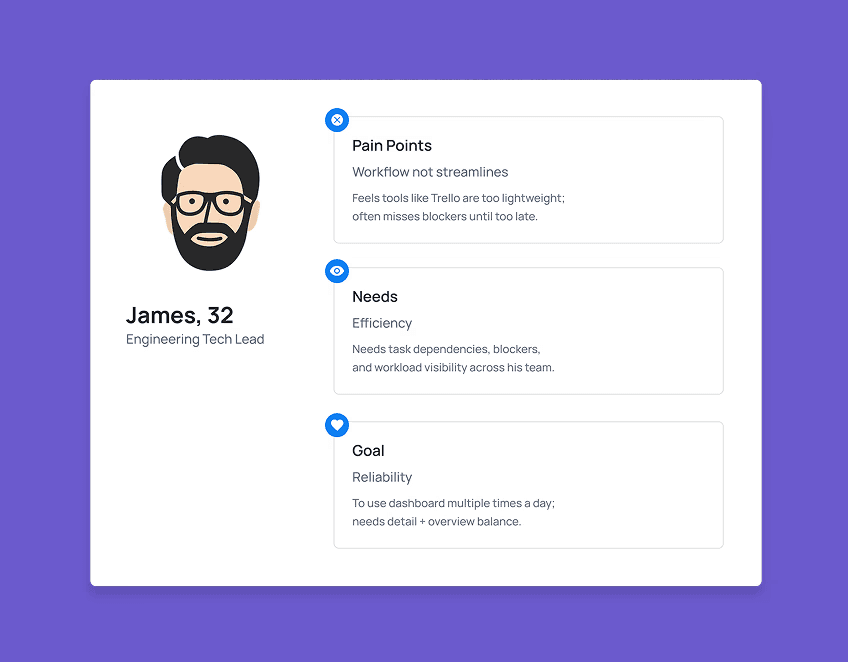
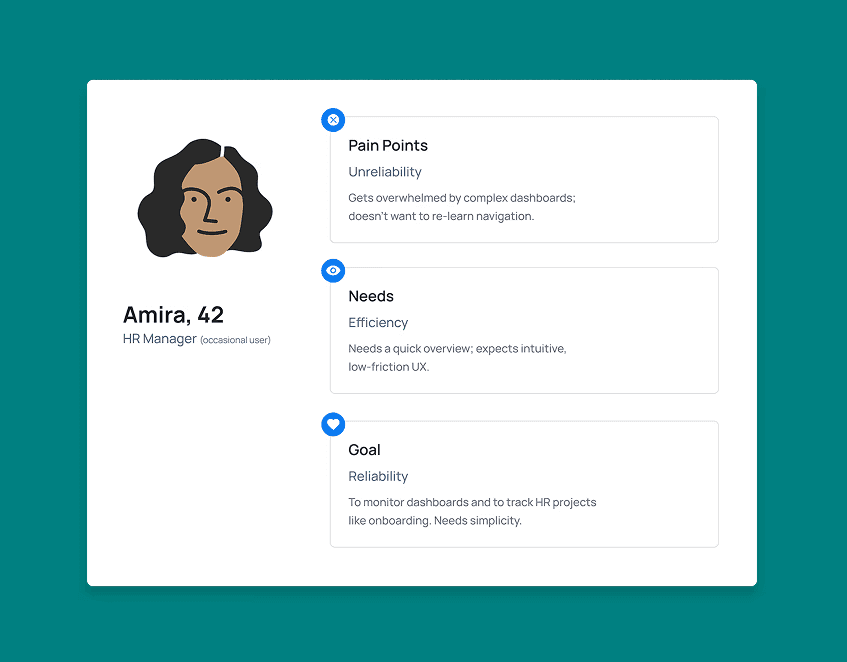
Primary User Groups:
Team Members: Need clarity on tasks, blockers, and
deadlines.Team Leads / Managers: Need progress visibility and
risk awareness.
Both groups needed different insights from the same data,
without creating separate systems.
AI
As a Design Partner
AI was used as a design accelerator during ideation and iteration.
It supported early exploration, layout variations, and rapid refinement, allowing more time to be spent evaluating decisions, validating structure, and refining usability.
Design judgment, prioritization, and final decisions remained human-led.
Design Decisions
& Iterations
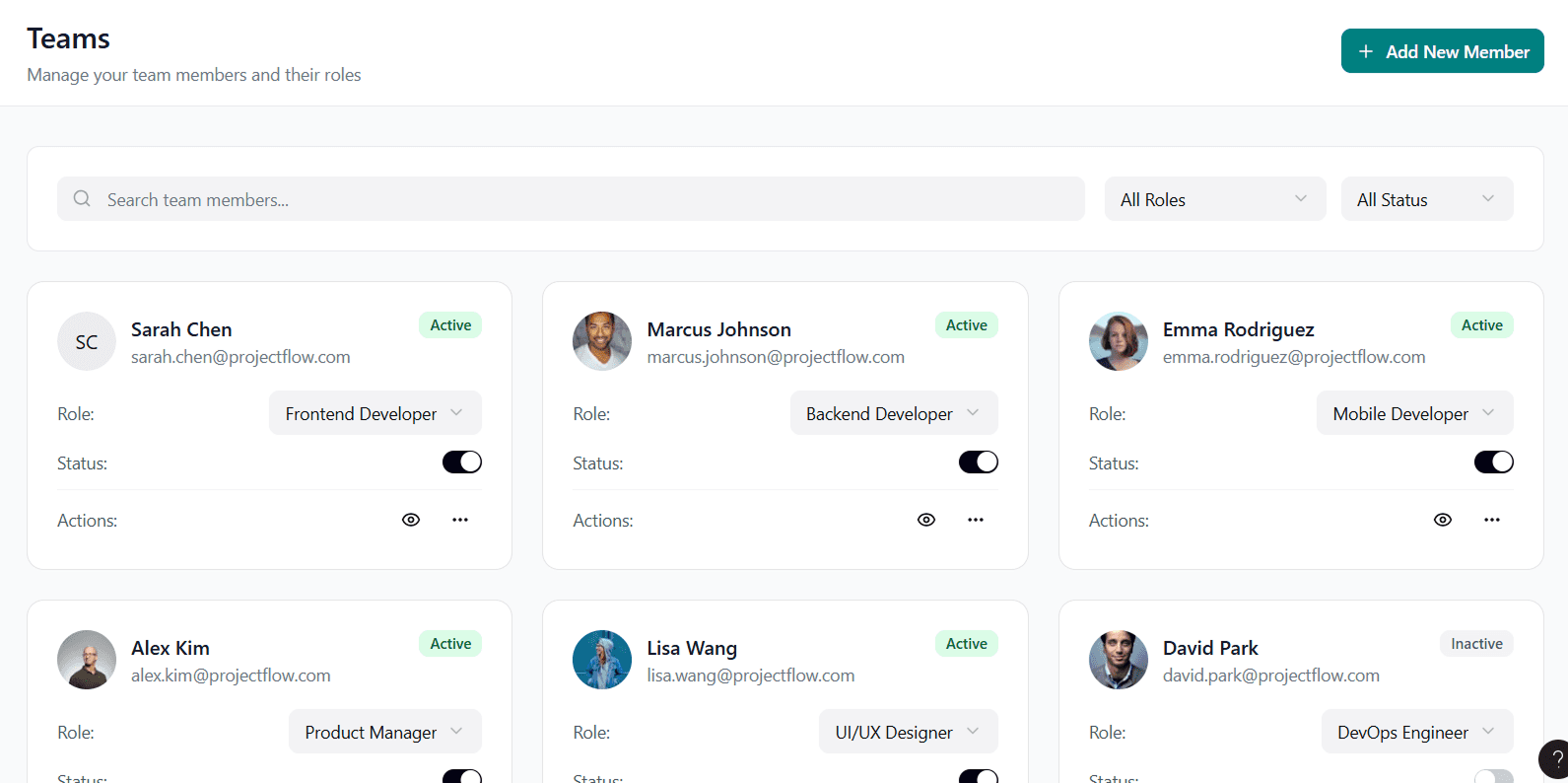
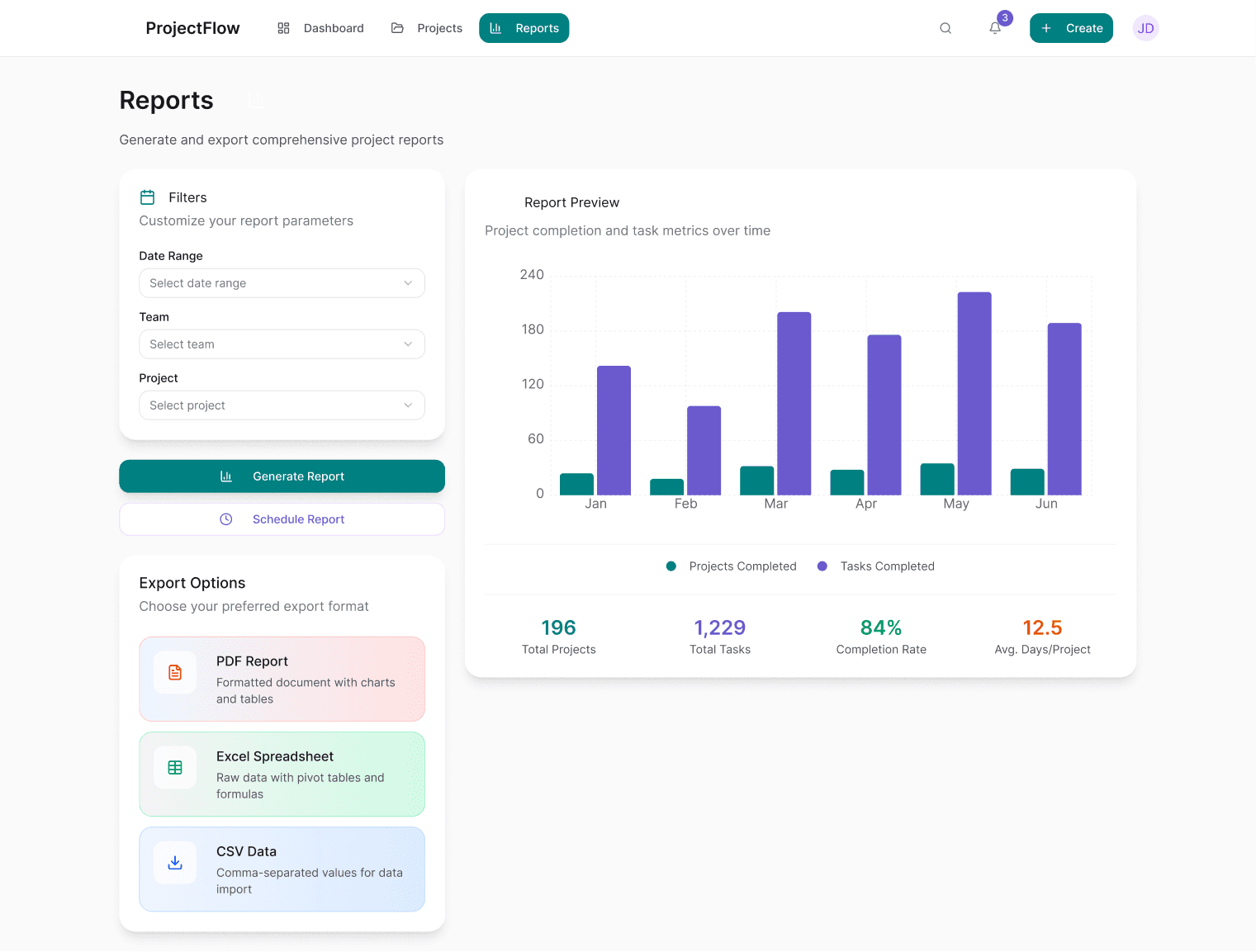
Early in the process, I explored multiple layout and information hierarchy options mentally and with AI-assisted flow exploration. I evaluated these options against usability heuristics, requirements, scalability needs, and rapid user testing before moving directly into high-fidelity design.
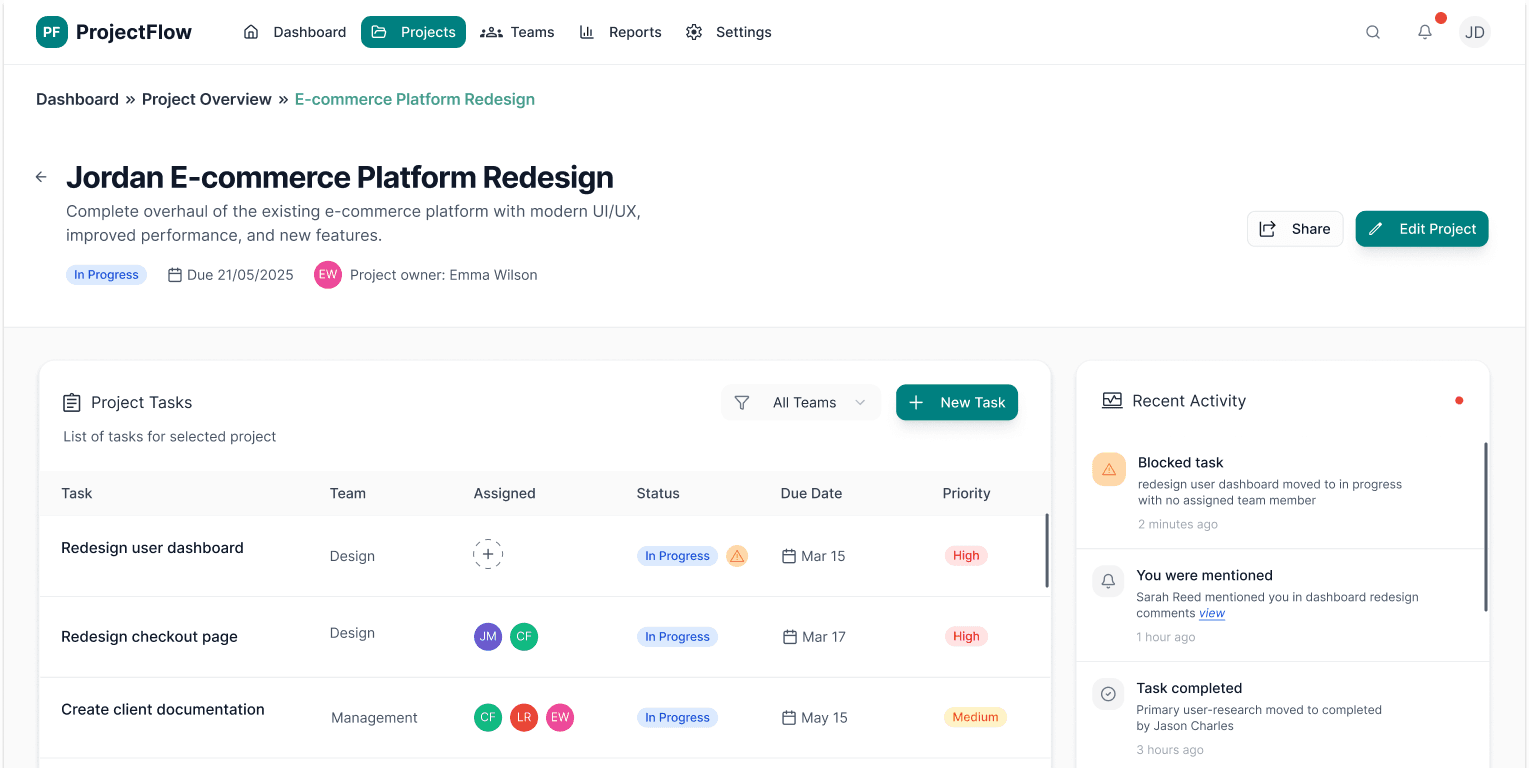
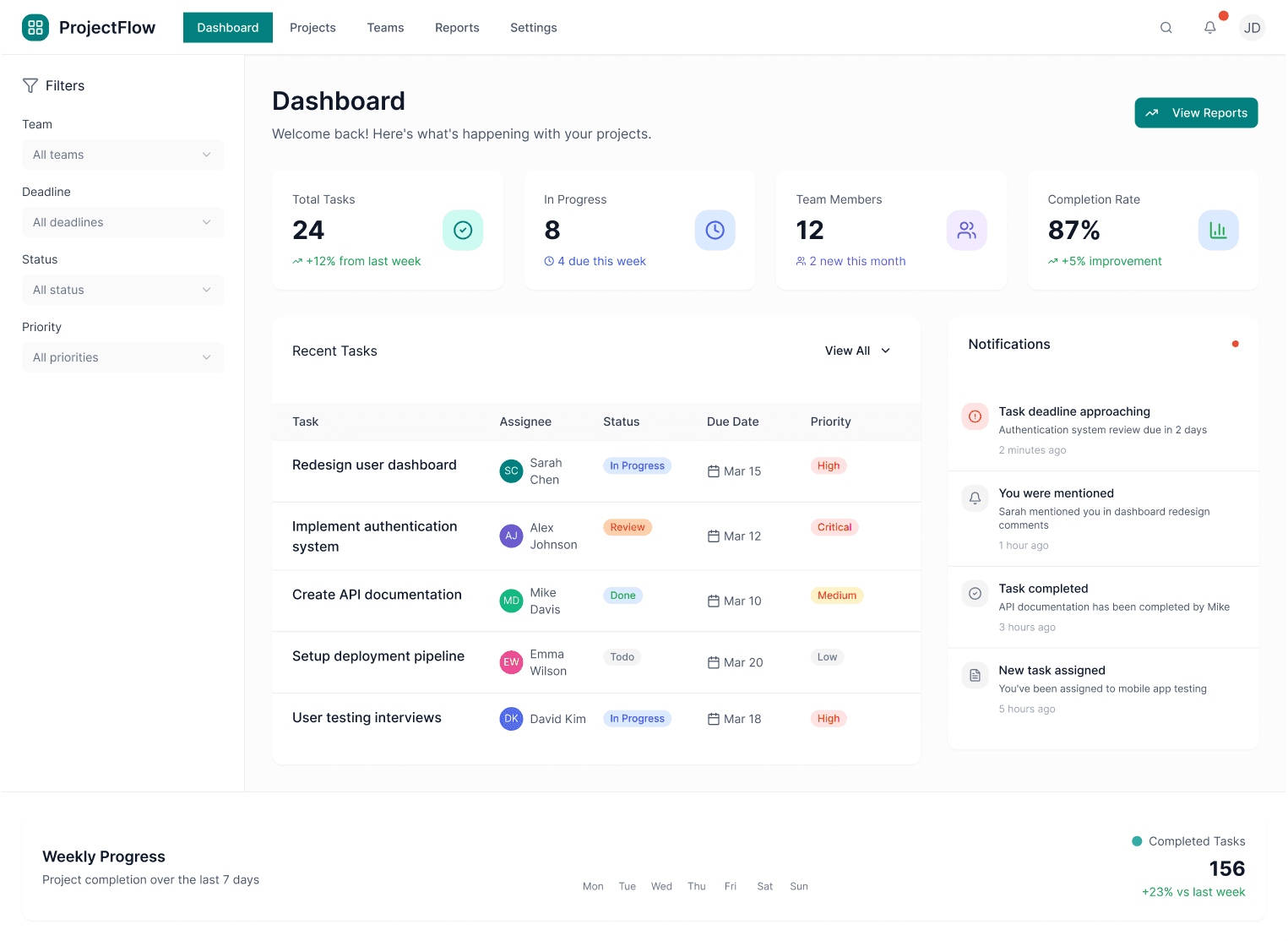
Design iterations focused on improving scannability, reducing cognitive load, and making status and blockers immediately visible.

Before
After
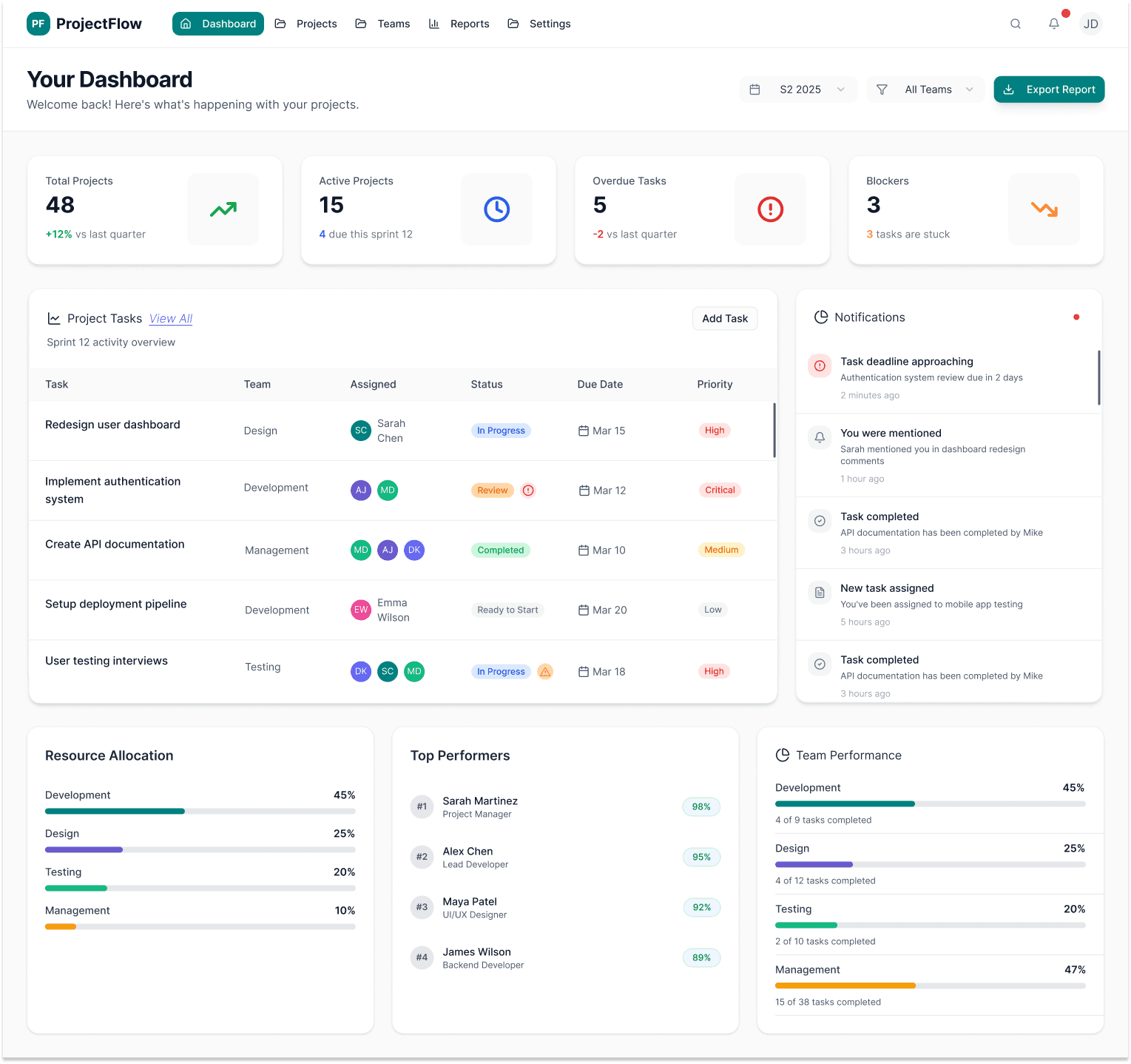
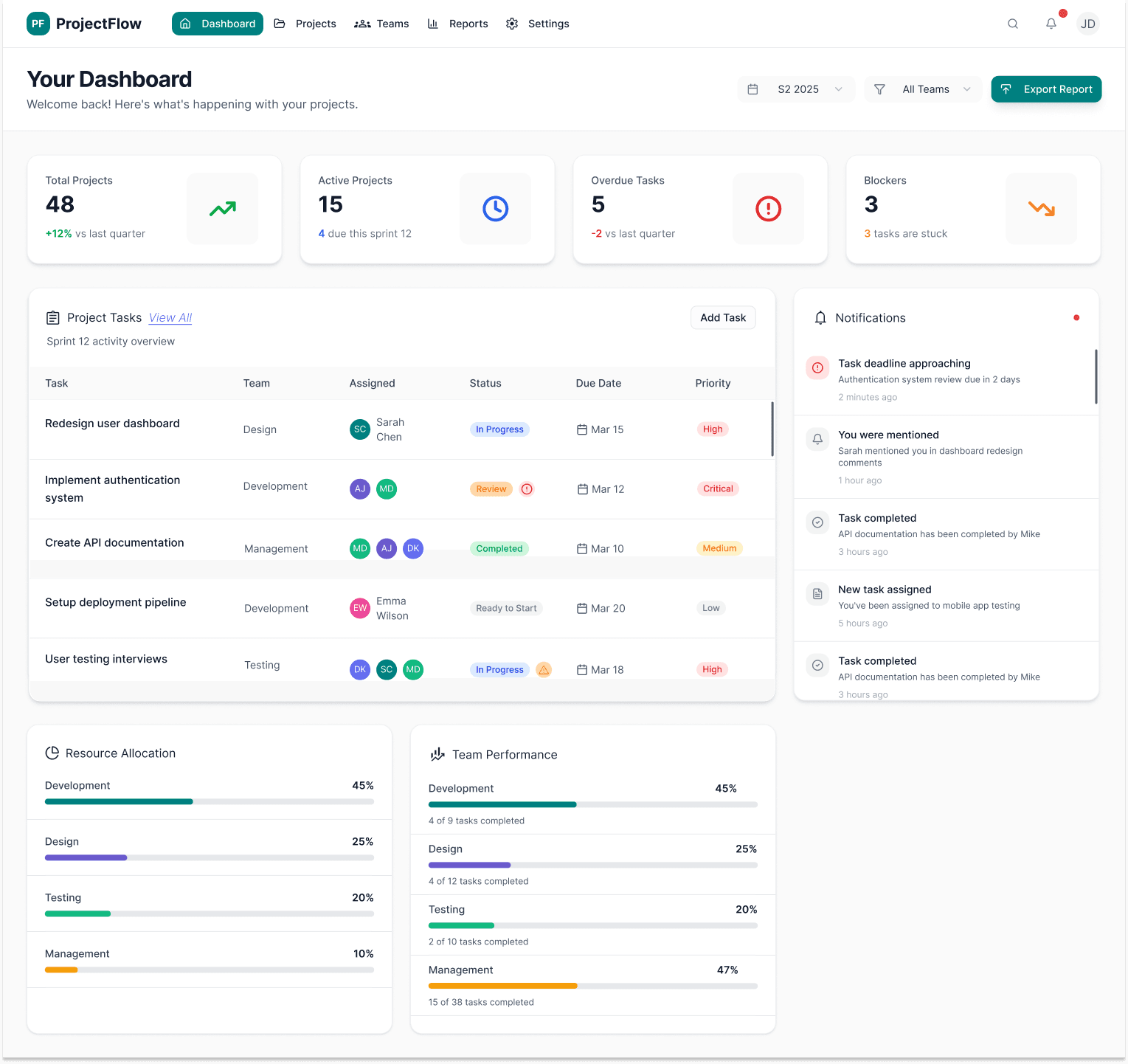
Dashboard: Moved filters to a more prominent location at the top, redesigned with pill-shaped filter chips for clarity.
Before
After
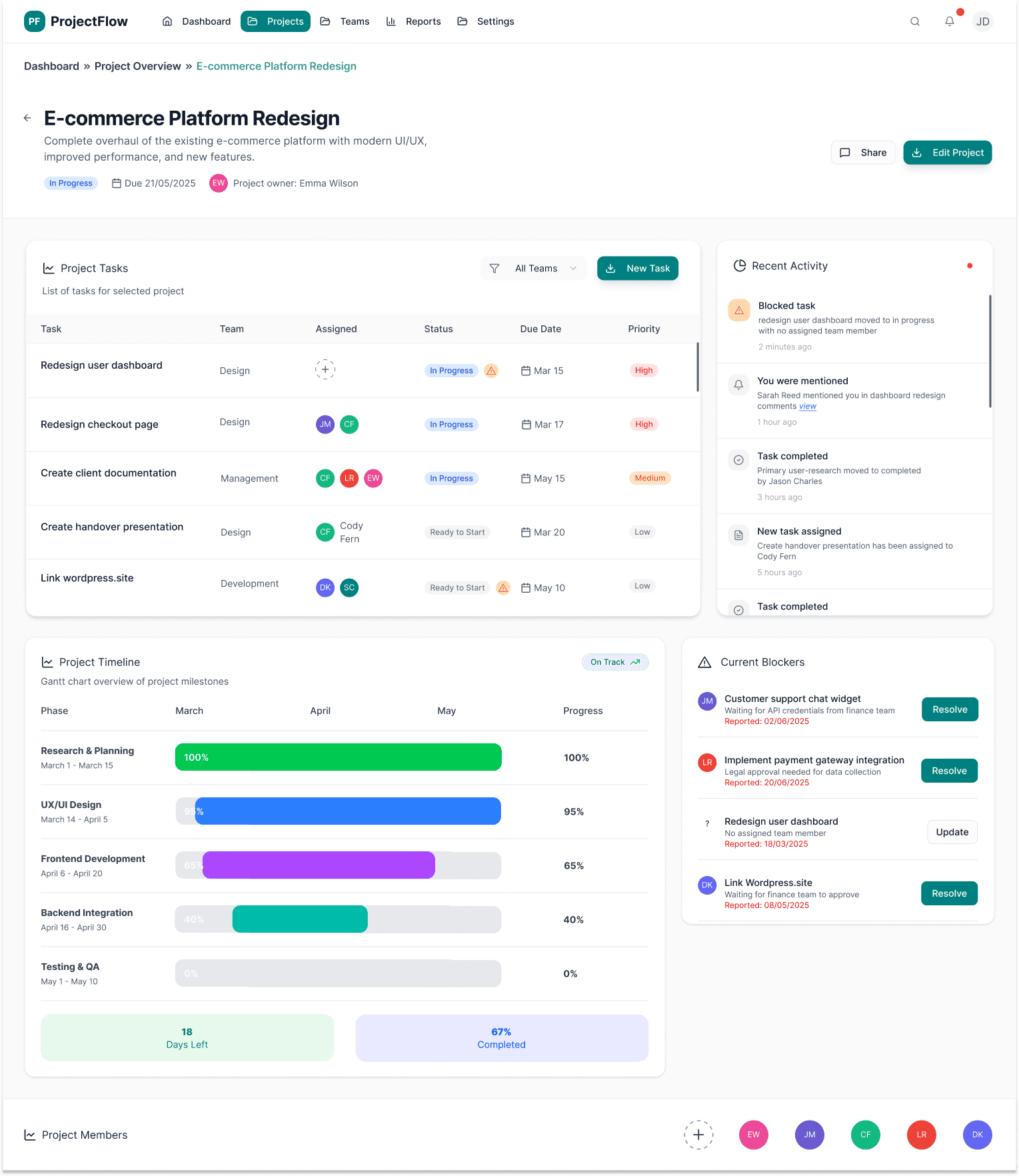
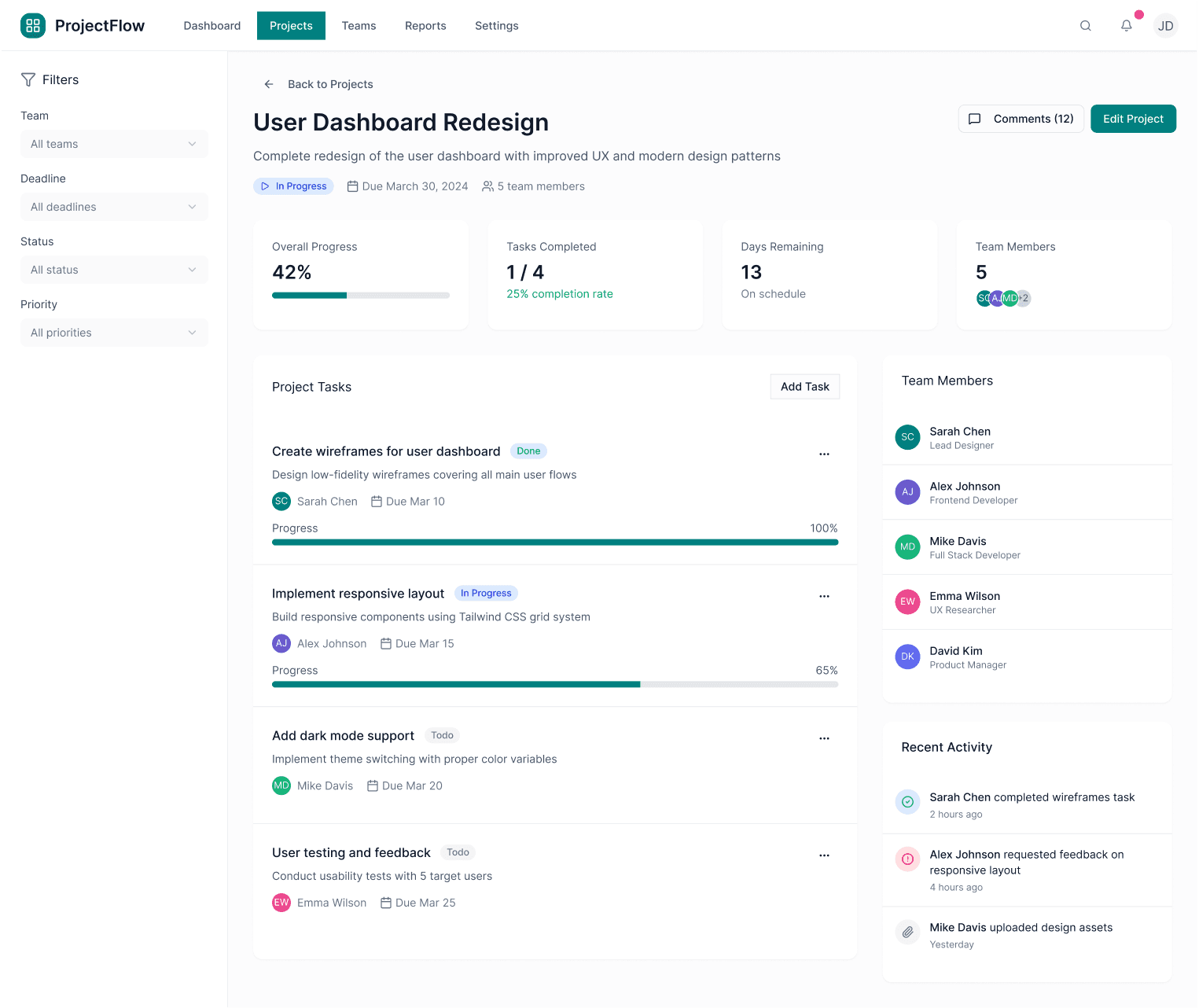
Blockers: improved visual hierarchy with color-coded severity tags (Critical, Moderate, Minor).
AI Assisted
Final Design
Before finalizing the UI, I used AI to simulate user scenarios, uncover unclear interactions, and validate accessibility and cognitive load. This helped identify friction points early without requiring formal user testing.

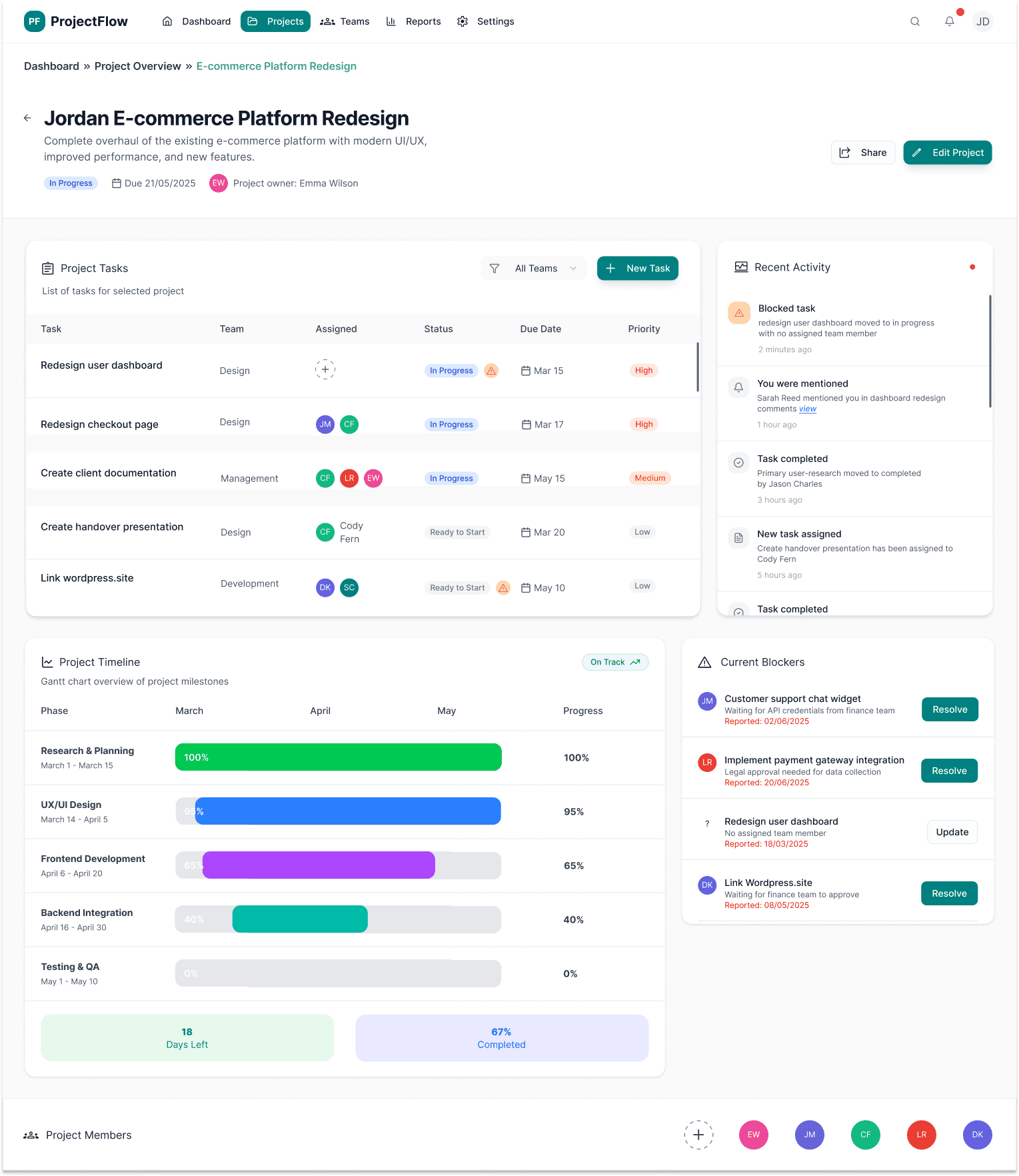

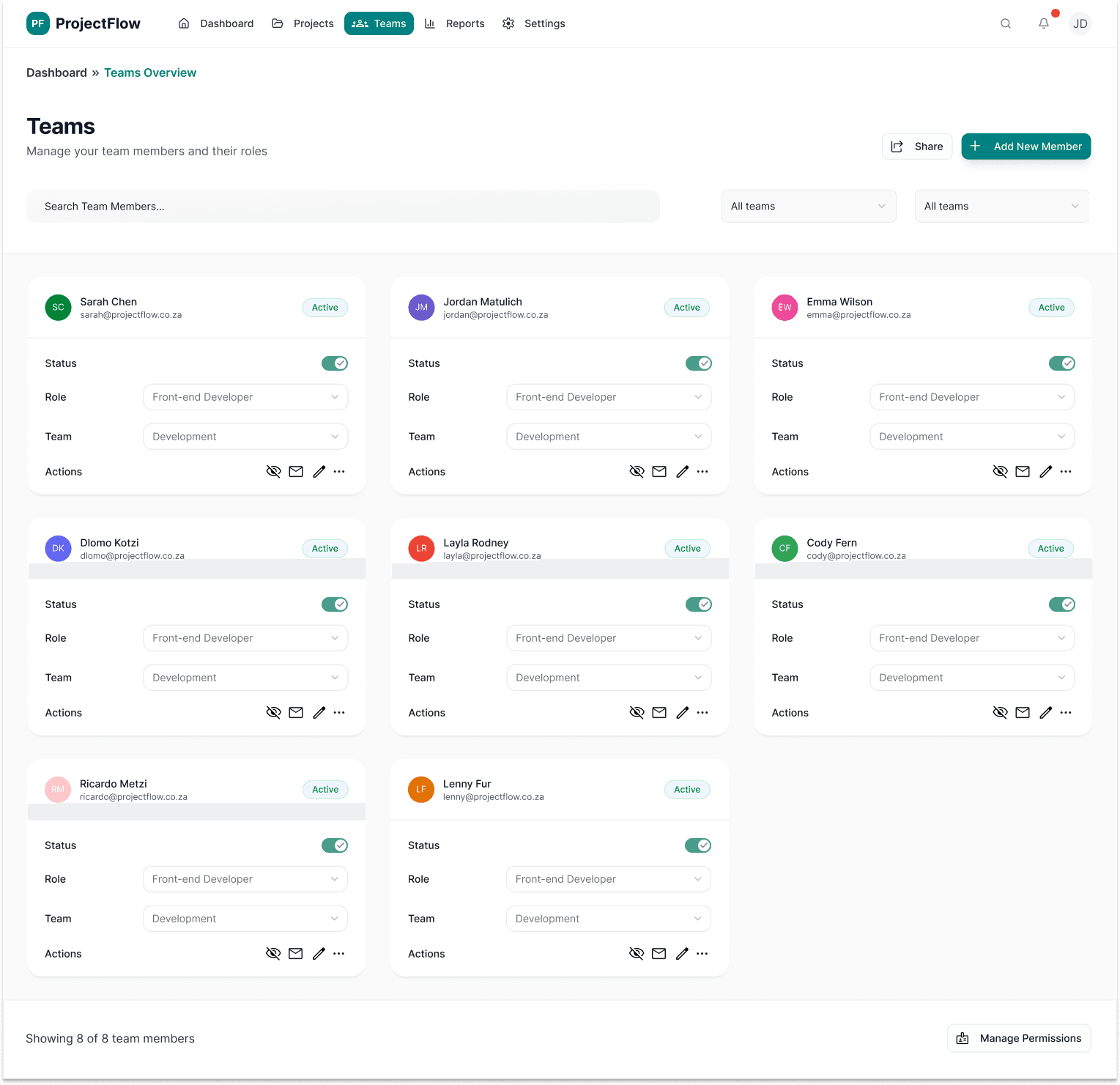

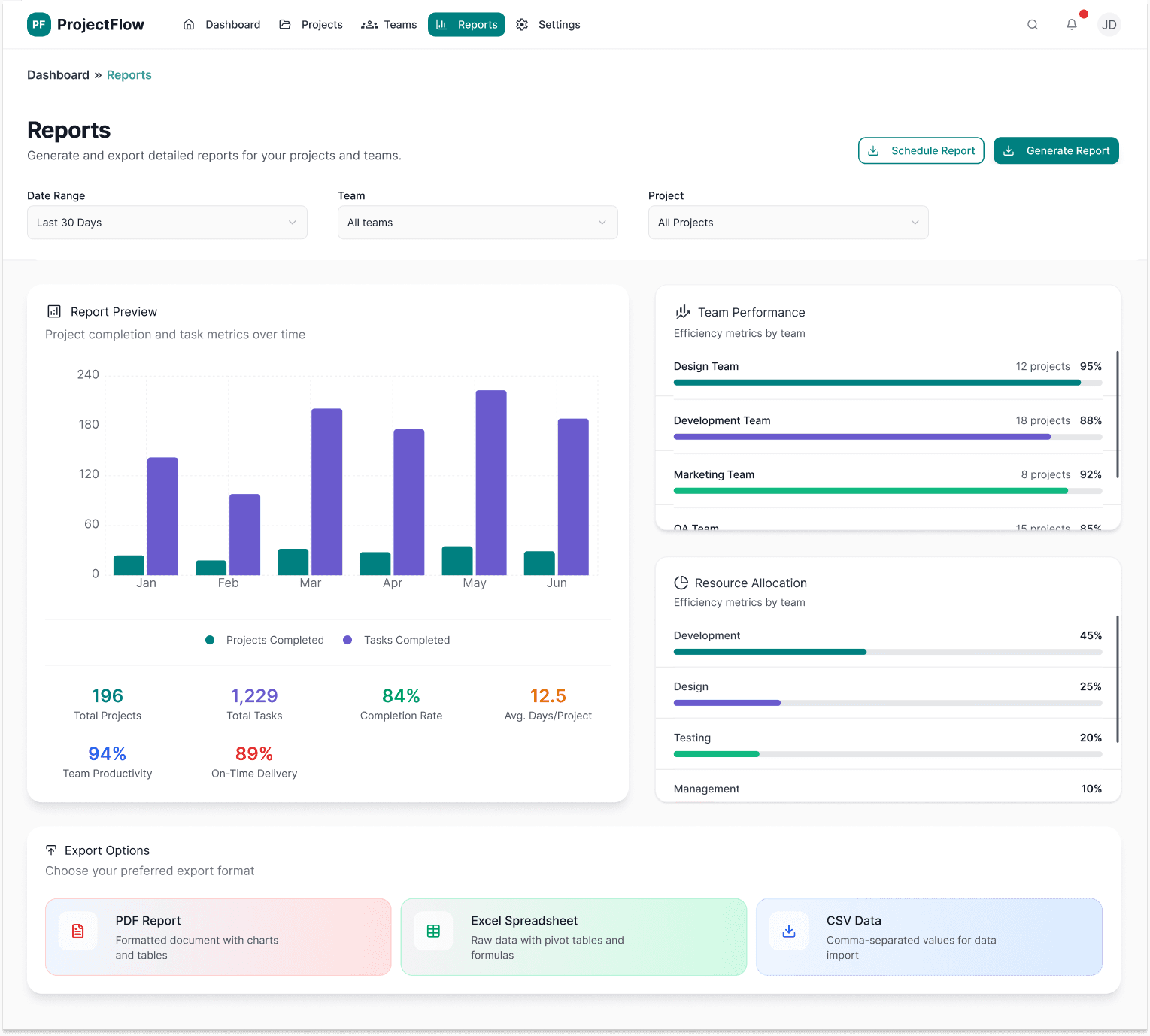

Behind the design
This project reflects a modern UX approach, where AI is used to accelerate execution while UX judgment drives the outcome.
I used AI tools to rapidly generate and iterate high-fidelity dashboard layouts, allowing me to focus on information architecture, systems thinking, and real-world usability rather than manual wireframing.
Key UX decisions -such as prioritising tasks, surfacing blockers, and reducing cognitive load -were driven by user needs and business context, not the tools themselves.
Working directly in high-fidelity enabled faster validation of hierarchy, clarity, and interaction patterns, aligning with how many product teams operate today.
This project demonstrates my ability to design complex, data-heavy products efficiently while maintaining strong UX principles and business relevance.
